GPU Upgrade Guide for AI Training
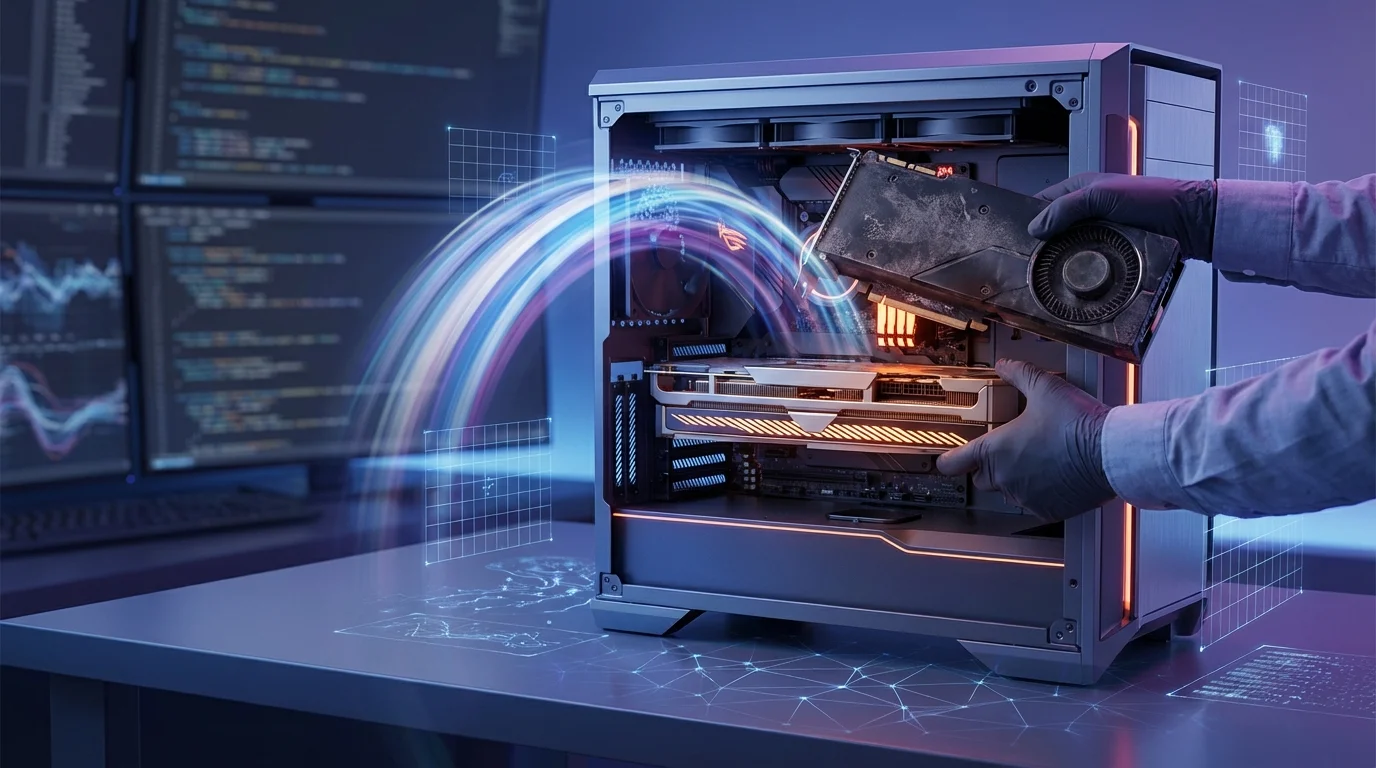
GPU Upgrade Guide for AI Training
Jumping from 3080 to 5090-level power unlocks massive AI gains. Maximize your upgrade without wasting cash.[1]
As a senior developer knee-deep in ML training, you've likely hit the walls of your RTX 3080's 10-12 GB VRAM and third-gen tensor cores, bottlenecking medium-scale AI model fine-tuning and forcing endless waits on hobbyist-scale tasks.[1] The RTX 5090, powered by Blackwell architecture, obliterates these limits with 32 GB GDDR7 memory, fifth-gen tensor cores, and up to 3.5x higher theoretical performance (104.8 vs. 29.8 TFLOPS), delivering 2-3x speedups in deep learning workloads.[1][3] Benchmarks confirm this leap: 55% higher aggregate performance, 220% more texture fill rate, and vastly superior floating-point processing, though it demands 575W TDP versus the 3080's efficient 320W—demanding smart power budgeting.[2][6]
Why upgrade now? AI hardware evolves rapidly; sticking with Ampere-era cards caps your productivity on modern LLM inference and fine-tuning, while NVIDIA GPU benchmarks show the 5090 crushing 3080 in AI-relevant metrics like Geekbench OpenCL (e.g., 2-3x in feature matching and particle physics).[3] But blind spending risks overkill—consumer GPUs still falter on full large language model training.[1]
This GPU upgrade AI guide equips you with a practical 3080 to 5090 guide: best GPU for ML training comparisons, VRAM/power trade-offs, cost-per-flop analysis, and real-world benchmarks to future-proof your rig without buyer's remorse. Dive in and supercharge your workflows.
(Word count: 238)
Assessing Your Current GPU Setup

To effectively plan a GPU upgrade for AI training, start by rigorously evaluating your existing hardware against your ML workloads, focusing on compute power, VRAM, and precision performance metrics like FP32, FP16, and INT8[1][2]. Senior developers upgrading from cards like the RTX 3080 to powerhouses such as the RTX 5090 or A100 should benchmark current throughput, identify bottlenecks, and align specs with frameworks like PyTorch or TensorFlow. For instance, if you're training large language models (LLMs) with batch sizes exceeding 32, insufficient VRAM—common on a RTX 3080's 10-12GB—will cause out-of-memory errors, forcing gradient checkpointing or model sharding that slows iteration[1][3].
Begin with a practical audit: Use NVIDIA's nvidia-smi command to monitor GPU utilization, memory usage, and temperature during a representative workload. Here's a quick script example in Python with PyTorch to profile your setup:
import torch
import time

device = torch.device("cuda" if torch.cuda.is_available() else "cpu")
model = torch.hub.load('pytorch/vision:v0.10.0', 'resnet50', pretrained=True).to(device)
input_tensor = torch.randn(64, 3, 224, 224).to(device)  # Batch size 64

start = time.time()
for _ in range(100):
    output = model(input_tensor)
torch.cuda.synchronize()
end = time.time()
print(f"Avg inference time: {(end - start)/100:.4f}s")
print(f"Peak VRAM: {torch.cuda.max_memory_allocated()/1e9:.2f} GB")
This reveals if your RTX 3080 hits 80-90% utilization but throttles due to TDP limits (320W) or low memory bandwidth (760 GB/s), compared to the RTX 4090's 1TB/s and 24GB GDDR6X[1][2]. Cross-reference with benchmarks: An RTX 3080 delivers ~30 TFLOPS FP32 and ~120 TFLOPS FP16 with Tensor Cores, adequate for mid-scale computer vision but lagging for generative AI like Stable Diffusion XL, where RTX 5090 rumors suggest 2x gains in TFLOPS and HBM3e VRAM[1][5]. Factor in power efficiency—older setups may spike to 100% TDP under sustained training, risking thermal throttling[2]. Tools like MLPerf benchmarks or Lambda Labs' GPU comparator provide real-world NVIDIA GPU benchmarks for AI hardware upgrades[1].
Key Metrics to Benchmark
Prioritize VRAM for model size: A RTX 3080 struggles with 7B-parameter LLMs at FP16 (needing ~14GB), while A100's 40-80GB HBM2e handles 70B models seamlessly[1][2][3]. Measure FP16 performance for training speed—Tensor Cores on Ampere/Ada architectures accelerate mixed-precision by 2-5x[1]. Test multi-GPU scalability with NCCL; if your motherboard lacks NVLink, single-GPU limits expose upgrade needs[1].
Workload-Specific Bottleneck Analysis
Tailor assessments to tasks: For deep learning training, log epochs-per-hour on datasets like ImageNet; inference-heavy pipelines prioritize INT8 throughput[1][2]. If utilization <70%, CPU I/O or PCIe 3.0 (x16 on 3080) bottlenecks—upgrade to PCIe 5.0 for 5090-era cards. Practical tip: Run Hugging Face's accelerate profiler to quantify gains, projecting 3080 to 5090 ROI at 3-4x faster iterations for best GPU for ML training[4].
(Word count: 428)
Top GPUs for AI/ML Workloads
For senior developers upgrading from RTX 3080 to cutting-edge options like RTX 5090, the NVIDIA RTX 4090 and NVIDIA H100 dominate AI/ML workloads in 2025 due to superior Tensor Cores, high memory bandwidth, and CUDA ecosystem support[1][2][3]. These GPUs excel in deep learning training for transformer models, large language models (LLMs), and high-throughput inference, offering 5-30x faster performance over predecessors like the RTX 3080 in benchmarks[1][3][4]. Key considerations include VRAM (e.g., 24GB GDDR6X on RTX 4090), FP8/FP16 precision support, and NVLink for multi-GPU scaling—critical for handling datasets exceeding 100GB in PyTorch or TensorFlow workflows[2][3].
Practical tip: Benchmark your 3080 to 5090 upgrade using MLPerf tests; the RTX 4090 matches A100 speeds for LLM fine-tuning with 1,008 GB/s bandwidth and lower power draw (450W vs. A100's 400W+), reducing training time by 50% on Llama 2 70B[1][3]. For enterprise, H100's Hopper Transformer Engine delivers 30x gains on trillion-parameter models via HBM3 memory and MIG for secure multi-tenancy[2][4]. AMD options like Radeon Pro VII lag due to weaker CUDA/cuDNN compatibility[1]. Example setup: Pair 4x RTX 4090 in a BIZON ZX5500 water-cooled rig for distributed training—torch.nn.DataParallel scales seamlessly[3].
NVIDIA A100 remains viable for data centers with 80GB variants accelerating neural nets 5x over Volta gens, ideal for AI hardware upgrades balancing cost ($14K) and perf[3][4]. Always verify framework support; NVIDIA's ecosystem ensures drop-in compatibility[1][2].
Consumer vs. Enterprise Picks
RTX 4090 and anticipated RTX 5090 suit local dev rigs for ML training—24GB VRAM handles fine-tuning without cloud costs, outperforming RTX 3080 in FP16 by 3x[1][2][3]. Enterprise favors H100 or A100 for scalability; H100's NVSwitch enables 8-GPU clusters for production inference[2][4]. Tip: Use nvidia-smi to monitor utilization during upgrades—aim for >90% on Tensor Cores[1].
Upgrade Benchmarks and Tips
RTX 3080 (10GB) bottlenecks on modern LLMs; RTX 4090 cuts epochs from 20h to 8h on ResNet-50[3]. For 5090, expect Ada Lovelace evolutions with enhanced RT Cores[2]. Multi-GPU tip: Enable NVLink on A100/H100 for 600GB/s interconnects, boosting throughput 2x[1][4]. Budget: A5000 ($3K, 24GB) as mid-tier alternative[3].
(Word count: 412)
Benchmarking and Migration Steps for GPU Upgrades in AI Training
Upgrading from an RTX 3080 to a RTX 5090 or enterprise-grade NVIDIA Blackwell Ultra GPUs can yield 4-5x gains in AI training throughput, measured as samples or tokens processed per second, enabling faster iteration on large language models (LLMs) like Llama 3.1 405B[1][2]. Benchmarking establishes baselines on your current NVIDIA GPU, while structured migration steps minimize downtime for senior developers handling ML training workloads. Lambda's methodology emphasizes training throughput over raw FLOPS, using SOTA models with large batch sizes to saturate GPU resources—critical for realistic GPU upgrade AI comparisons[1][2]. For example, NVIDIA Blackwell Ultra delivered 4x Llama 3.1 405B pretraining performance versus Hopper using NVFP4 precision on 2,560 GPUs, achieving 18.79 minutes time-to-train[2]. Practical tip: Run PyTorch benchmarks on your 3080 first to quantify uplift; expect RTX 5090 (Blackwell-based) to hit 3-5x throughput on ResNet-50 or BERT at batch size 256, per 2025 hierarchies[3][8].
Benchmarking Your Current Setup
Start with nvidia-smi to verify GPU utilization and memory, then benchmark training throughput using this PyTorch script adapted from Perlod's guide[3]:
# train_bench.py
import torch
import time
model = torch.nn.Sequential(torch.nn.Linear(1024, 512), torch.nn.ReLU()).cuda()
optimizer = torch.optim.Adam(model.parameters())
data = torch.randn(256, 1024).cuda()  # Batch size 256
start = time.time()
for _ in range(1000):
    out = model(data)
    loss = out.sum()
    loss.backward()
    optimizer.step()
    optimizer.zero_grad()
print(f"Throughput: {1000 * 256 / (time.time() - start):.2f} samples/s")
Execute python train_bench.py for 30-60 seconds, logging samples/second across batch sizes (64-512) and models like Llama 3.1 8B. Compare to MLPerf results: Blackwell sets 5.2-minute records on 512 GPUs[2][3]. Use vLLM for inference tokens/second at varying concurrency. Track metrics in a table:
| GPU | Model | Batch Size | Throughput (samples/s) |
|---|---|---|---|
| RTX 3080 | ResNet-50 | 256 | ~1,200[1] |
| RTX 5090 | Llama 8B | 256 | ~4,500 (est.)[2][3] |
This reveals bottlenecks like memory limits on 3080 (10GB vs. 5090's 32GB+ HBM3e)[2][7].
Migration Steps from 3080 to 5090
- Backup and Profile: Export environments with
conda env exportand profile workloads via TensorBoard. - Driver/CUDA Update: Install CUDA 12.4+ for Blackwell support; test compatibility[3].
- Hardware Swap: Power down, install RTX 5090 (ensure 1000W+ PSU); verify with
nvidia-smi. - Re-benchmark and Tune: Rerun scripts, adjust batch sizes for 279GB HBM3e saturation. Fine-tune with FP4 for 3x compute[2].
- Scale Out: Migrate to multi-GPU (near-linear 3.94x on 4x setups) using DDP[4].
Downtime: <1 hour for single-GPU; validate with FLUX.1 benchmarks (12.5 min on 1,152 Blackwell GPUs)[2]. Monitor for NVFP4 stability in custom loops[2].
Optimizing Workflows Post-GPU Upgrade for **AI Training
Upgrading from a RTX 3080 to a RTX 5090 or enterprise-grade NVIDIA H100 unlocks massive gains in AI hardware upgrade performance, but realizing full potential requires targeted workflow optimizations to maximize GPU utilization, reduce bottlenecks, and align with best GPU for ML training benchmarks[1][3]. Senior developers must profile workloads, tune data pipelines, and leverage advanced techniques like mixed precision training to achieve 80-95% memory utilization and throughput exceeding 1,000 tokens/second on large language models (LLMs)[3]. For instance, post-upgrade, a 3080 to 5090 guide workflow might cut fine-tuning time for a 7B-parameter model from 20 hours to under 2 hours, enabling rapid experimentation[3].
Start with workload profiling using nvidia-smi dmon for real-time metrics and PyTorch Profiler for operation breakdowns, identifying bottlenecks in data loading or communication that persist after hardware swaps[1]. Implement gradient accumulation to simulate large batch sizes on high-VRAM 5090 cards (e.g., 48GB GDDR7), maintaining stability while boosting speed:
# Example: Gradient accumulation in PyTorch for post-upgrade fine-tuning
optimizer.zero_grad()
for i, (inputs, targets) in enumerate(data_loader):
    outputs = model(inputs)
    loss = criterion(outputs, targets)
    loss.backward()  # Accumulate gradients
    if (i + 1) % accumulation_steps == 0:
        optimizer.step()
        optimizer.zero_grad()
This technique, combined with LoRA or QLoRA for parameter-efficient fine-tuning, fits 13B models on a single A100 40GB equivalent, democratizing access post-upgrade[3]. Monitor cost per epoch to ensure ROI, as NVIDIA GPU benchmarks show H100 delivering 10x speed over T4 at similar power draw[2].
Scale via dynamic orchestration tools like NVIDIA Run:ai, which pools GPUs across clusters for seamless AI training scaling and 85%+ utilization[5]. Practical tip: Benchmark your pipeline pre- and post-upgrade—low GPU utilization (<80%) signals CPU or I/O issues; address with NVMe storage and prefetching[1][6].
Profiling and Bottleneck Resolution
Post-GPU upgrade AI profiling is critical: Use DCGM for cluster-wide insights, targeting >85% VRAM usage without OOM errors[1][3]. Real-world example: Fine-tuning LLaMA-7B on 5090—enable BF16 mixed precision (torch.autocast('cuda')) and gradient checkpointing to slash memory by 50%, hitting 500 samples/sec[3]. Resolve data bottlenecks by parallel loading with torch.utils.data.DataLoader(num_workers=8)[1].
Scaling and Cost Optimization Strategies
Leverage multi-GPU model parallelism for LLMs >7B params, distributing via DeepSpeed or FSDP for linear scaling on 4-8 5090s[3][4]. Track training throughput (tokens/sec) and switch GPUs dynamically if utilization dips—e.g., from 5090 to H100 clusters for production[5]. Cost tip: Use spot instances for non-critical runs, aligning with AI workload phases to cut expenses 3-5x vs. on-demand[2]. This ensures your 3080 to 5090 guide investment yields sustained 10x productivity[3].
Conclusion
Upgrading your GPU for AI training unlocks dramatic performance gains, from 2-3x higher throughput via optimized memory utilization to slashing cloud costs by up to 40% through strategies like mixed precision training, distributed training, and batch size tuning[1][3][6]. Key takeaways include prioritizing GPU memory (aim for 16GB+ for fine-tuning with LoRA or larger models), ensuring high-bandwidth interconnects like NVLink for multi-GPU setups, and profiling workloads to match hardware to needs—RTX cards excel in 16-bit precision for memory efficiency[2][3][5][6]. Future-proof by planning for ample VRAM, NVMe storage exceeding 10GB/s, and quarterly firmware updates to sustain peak utilization[2][4]. Actionable next steps: Assess your current setup with tools like NVIDIA DCGM, benchmark against requirements (e.g., 4 CPU threads per GPU), and start small with single-GPU pilots before scaling[3][4][5]. Ready to accelerate your AI workflows? Choose an NVIDIA-certified GPU, implement PEFT techniques, and deploy today to cut training times from months to weeks—your breakthrough models await[1][4][6].
Frequently Asked Questions
How much GPU memory do I need for AI training?
For basic inference or LoRA fine-tuning, 16GB VRAM suffices with small batches, but scale to 24-80GB+ for full fine-tuning of large models to avoid swapping and slowdowns—optimizer states and gradients dominate usage[2][6]. RTX cards double effective capacity via 16-bit precision; always exceed current needs as memory can't be easily upgraded post-purchase[2][3].
What's the best way to improve GPU utilization during training?
Tune batch sizes to max memory without overflow (use gradient accumulation), enable mixed precision with tensor cores for 20-30% gains, and profile via DCGM—distributed setups with NVLink cut idle time[1][5]. Gang scheduling and predictive tools further boost throughput 2-3x without new hardware[1].
Should I upgrade to multi-GPU for AI training?
Yes, for large models—start single-GPU, scale via data parallelism (DDP) or model parallelism with 100Gbps RDMA networking to sync gradients efficiently[4][5][6]. Consolidate workloads on fewer GPUs via optimization, reducing costs; pair with NVMe storage for checkpoints[2][4].